Dark mode does work on forums but you have to activate it inside the forum.
- Click on your avatar top right (your account button) >
- preferences >
- style >
- UI,X Dark.
- Then hit save
- then refresh the web page.
To be clear this is in browser, not the app, that may be different (I am still learning too) but I see same dark mode there that I set up first on the browser.
Also, your use the same path/menu to set the font bigger just below the dark mode.
You can also disable the video player there. This loses some content/functionality, but it also removes roughly 1/3 of the bright shiny object on the forum page. You can restart the video player at any time with a button that will appear top right on any forum page.


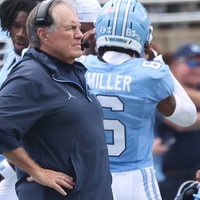 Inside Carolina Football
With Internal Investigation Completed, UNC Football Needs to Learn from Past Missteps to Move Forward
Inside Carolina Football
With Internal Investigation Completed, UNC Football Needs to Learn from Past Missteps to Move Forward
 Inside Carolina Football
UNC Defensive Coordinator Steve Belichick Resigns
Inside Carolina Football
UNC Defensive Coordinator Steve Belichick Resigns
 Inside Carolina Basketball Recruiting
UNC Official Visit Guide: Beckham Black
Inside Carolina Basketball Recruiting
UNC Official Visit Guide: Beckham Black
 Inside Carolina Football
Freshman Wide Receiver Keeyun Chapman Suspended Indefinitely
Inside Carolina Football
Freshman Wide Receiver Keeyun Chapman Suspended Indefinitely
 Inside Carolina Basketball Recruiting
UNC Basketball Recruiting Board: Class of 2028
Inside Carolina Basketball Recruiting
UNC Basketball Recruiting Board: Class of 2028