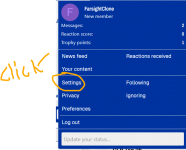
Had to do the same. But for some reason there is an @sign in front of my user that isn’t there on settings.I had to logout and then log back in, not sure if everyone has to do that. Just an fyi in case it can help a fellow Cat fan.
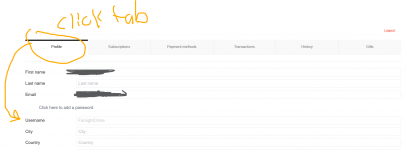
Screen shots from laptop/pc; or phone?STEP 1:
View attachment 834177
STEP 2:
View attachment 834180
STEP 3:
View attachment 834183
Then scroll down and Click Save Changes

View attachment 834185
Hope this helps!
Who’s this “new member”?! Such bullsh*t lolScreen shots from laptop/pc; or phone?
Yeah, delayed reaction. Takes a bit. But I’ll be damned if that @sign just won’t go away. Some ******** right there.It doesn’t change instantaneously but will change eventually
Same, my Anon brothers and I about to sail to wildcat nation. This some bull.In the settings it has my username. Saved changes multiple time. However, it seems they want me to be Anon
Mine is doing the same thing. I would like for it to go away as well.Just tried again. Logged out, back in.
I really want that @ to go away.
Hasn’t worked for me either. My username is correct in settings and I have saved changes and still I’m anon.Well
Don't @ me brahJust tried again. Logged out, back in.
I really want that @ to go away.
KSR
KSR Today: Waking up to a win over Louisville
KSR Football
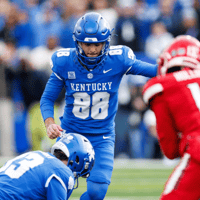
Belief Paved the Way for Adam Zouagui's Game-Winning Kick over Louisville
KSR Football
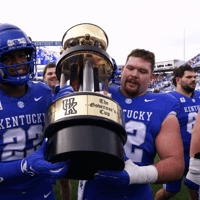
Versatile Mikkel Skinner is Surprising Hero of Kentucky's Governor's Cup Win
KSR Football
The Big Blue Wall is having fun on Twitter after Kentucky's win over Louisville
KSR Football
Instant Takeaways: Kentucky overcomes adversity to regain the Governor's Cup